


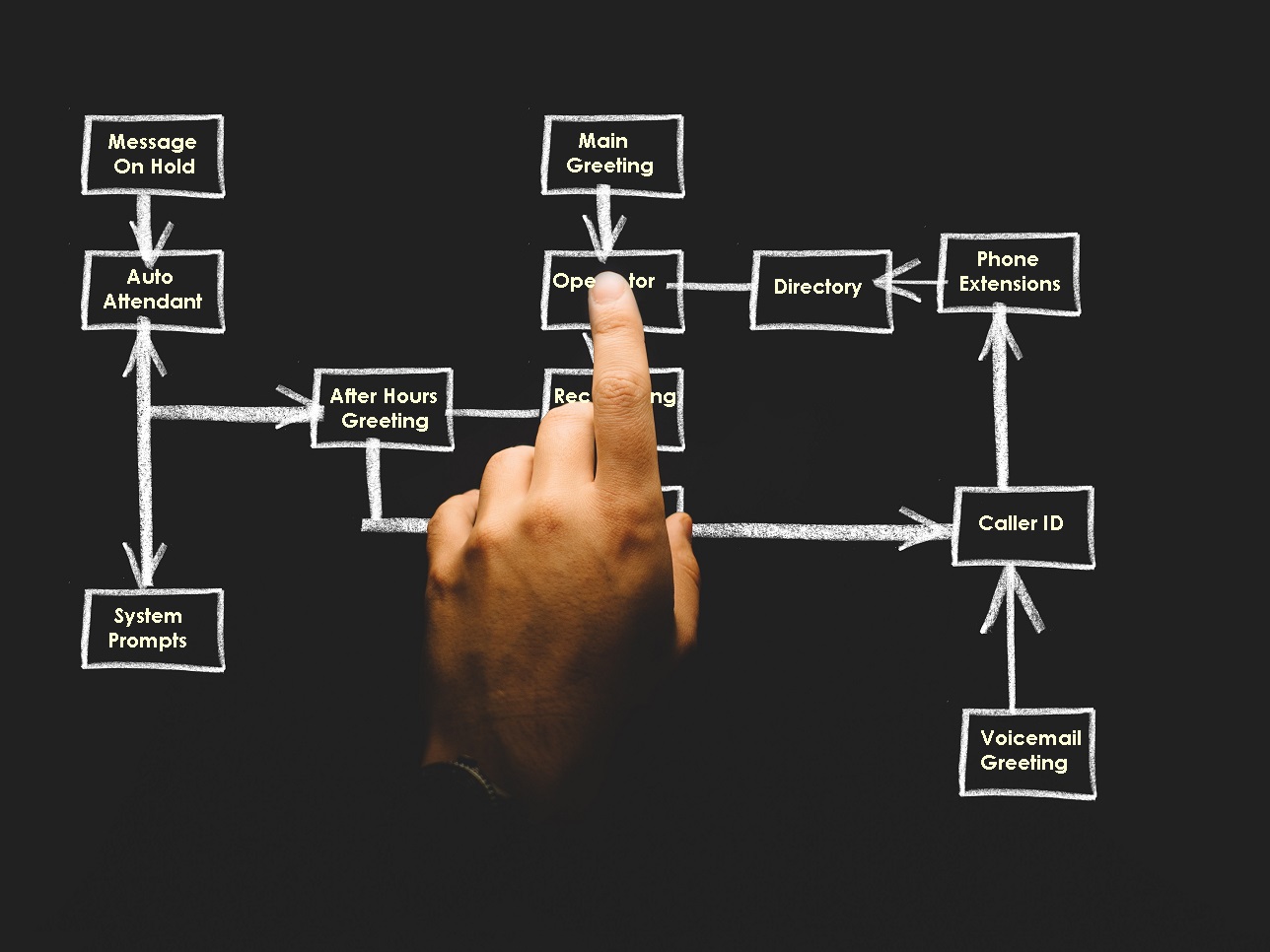
An interactive voice response (IVR) system helps callers navigate your phone system using recorded greetings, menu options and instructions. When it’s organized well, callers can find the right department, reach the appropriate person or access information without unnecessary confusion.
However, as your business changes, your phone system needs to change with it. Outdated recordings, confusing menus and incorrect call routing can leave callers frustrated before they even speak with your team.
Here are three practical ways to keep your IVR system organized and create a better experience for your callers.
Why an Organized IVR System Matters
A well-planned IVR system helps direct incoming calls, provides basic information and gives callers a clear path to the help they need. It can also help your team manage routine calls more efficiently.
Depending on how your phone system is configured, callers may be able to find information or reach the appropriate department without speaking to a receptionist. Automated menus can also provide basic information outside regular business hours.
However, an IVR system is only helpful when callers can navigate it easily. Too many menu options, unclear instructions or outdated information can make the process more difficult than simply speaking with someone.
Your recorded prompts also contribute to your business’s first impression. Clear instructions and a warm, professional voice help your phone system feel like a natural extension of your brand.
1. Listen to Your IVR Prompts Regularly
One of the easiest ways to identify problems is to call your own business and experience the phone system as a customer would.
Listen carefully to every greeting, menu option and recorded instruction. Follow each available path and consider these questions:
- Is the opening greeting clear and welcoming?
- Are the menu options easy to understand?
- Do the instructions direct callers to the right department?
- Are any options outdated or unnecessary?
- Does the system repeat information or send callers in circles?
- Can callers reach a person when they need additional help?
Pay attention to small details, too. A department name may have changed, an employee may have left, or business hours may no longer be accurate.
It’s also helpful to review your recordings whenever your business makes changes that affect call routing or customer information. Identifying updates before new recordings are produced can help avoid unnecessary revisions later.
2. Create a Visual Map of Your IVR Call Flow
A call flow diagram gives you a visual overview of how callers move through your automated phone system. It shows the opening greeting, menu options, destinations and what happens after each selection.
For example, your main menu might direct callers to:
- Press 1 for Sales.
- Press 2 for Customer Service.
- Press 3 for Billing.
- Press 0 to reach an operator, if your system supports that option.
Your diagram should also show what happens when a caller makes an invalid selection, needs to repeat the menu or reaches an option outside business hours.
A visual map makes it easier to spot unnecessary menu layers, duplicated instructions and confusing routes. It also provides a useful reference when employees, departments or phone system settings change.
Keep the diagram updated whenever you change your IVR. Documenting those changes helps ensure the written call flow matches the system callers actually experience.
3. Use Clear, Professional Voice Recordings
Even a well-organized call flow can be frustrating if callers struggle to understand the instructions. Your recorded prompts should be easy to follow, delivered at a comfortable pace and consistent with your brand.
When reviewing your IVR recordings, consider whether the voice sounds welcoming and professional. Make sure department names, menu options and instructions are pronounced clearly, and avoid wording that is unnecessarily complicated.
Keep each prompt focused on the information callers need at that point in the call. For example, your main greeting should introduce the business and guide callers to the appropriate option without making them listen to a lengthy introduction.
Professional voice recordings can also help create a consistent sound across your main greeting, department menus, voicemail greetings and other telephone prompts.
At On Air Audio Services, we produce professional IVR telephone recordings for businesses that want their phone system to sound clear, polished and true to their brand.
Keep Your IVR Up to Date
An organized IVR system isn’t something you set up once and forget. Review it periodically, test the available call paths and update your recordings when business information or routing changes.
By listening from the caller’s perspective, maintaining a visual call flow and using clear, professional recordings, you can make your phone system easier to navigate and help callers reach the right place with less frustration.
Need help with your IVR telephone recordings? Contact On Air Audio Services to discuss professional IVR greetings and phone system prompts for your business.


